AI Scan: Receipts & Bills
Turn photos and PDFs of receipts, invoices and bills into structured transactions in generate.TAX. Our AI reads the financial detail from each document so you spend less time on data entry and more time on review, mapping and filing.
Ideal for self-employed users and for clients data sitting in an Excel file.


AI-Powered Capture
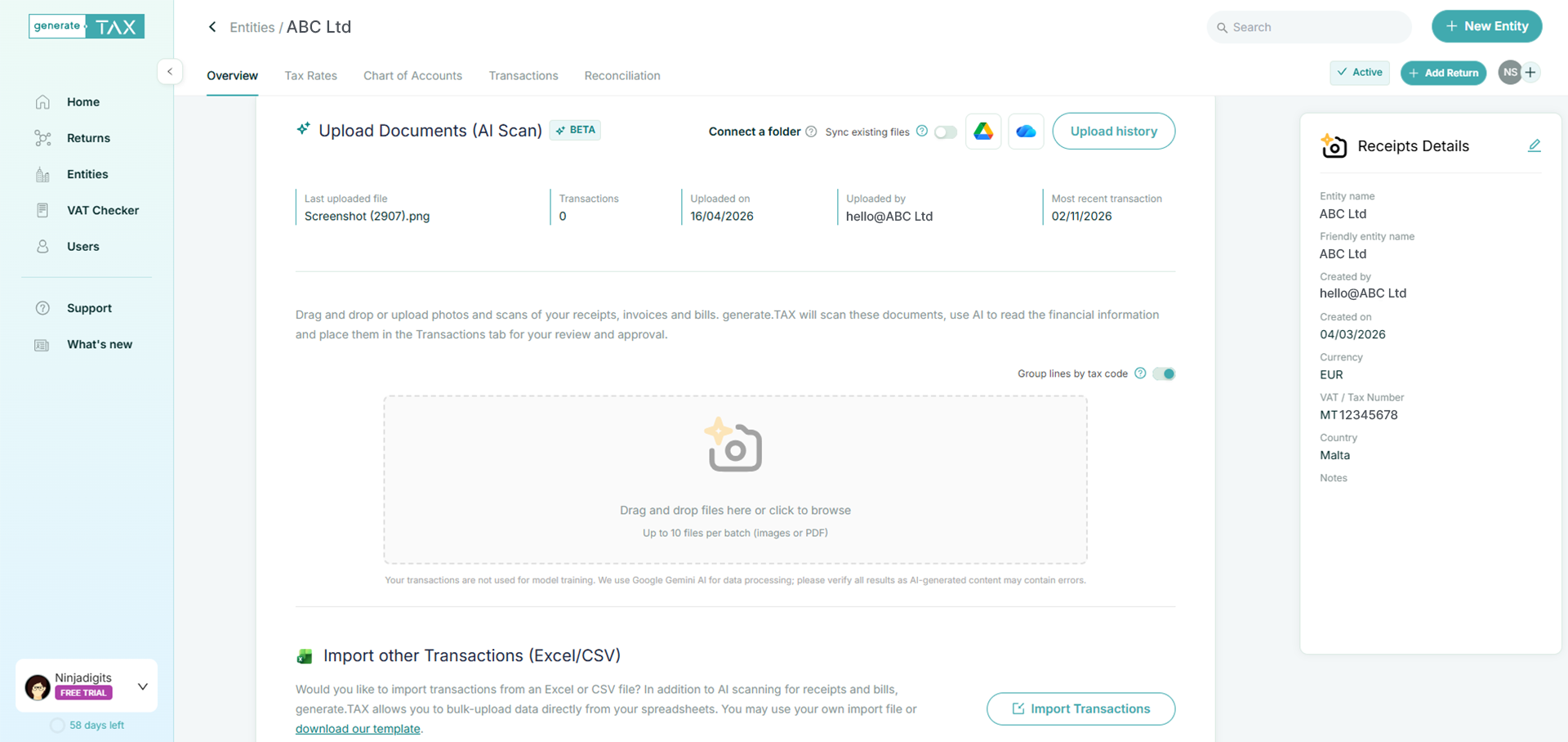
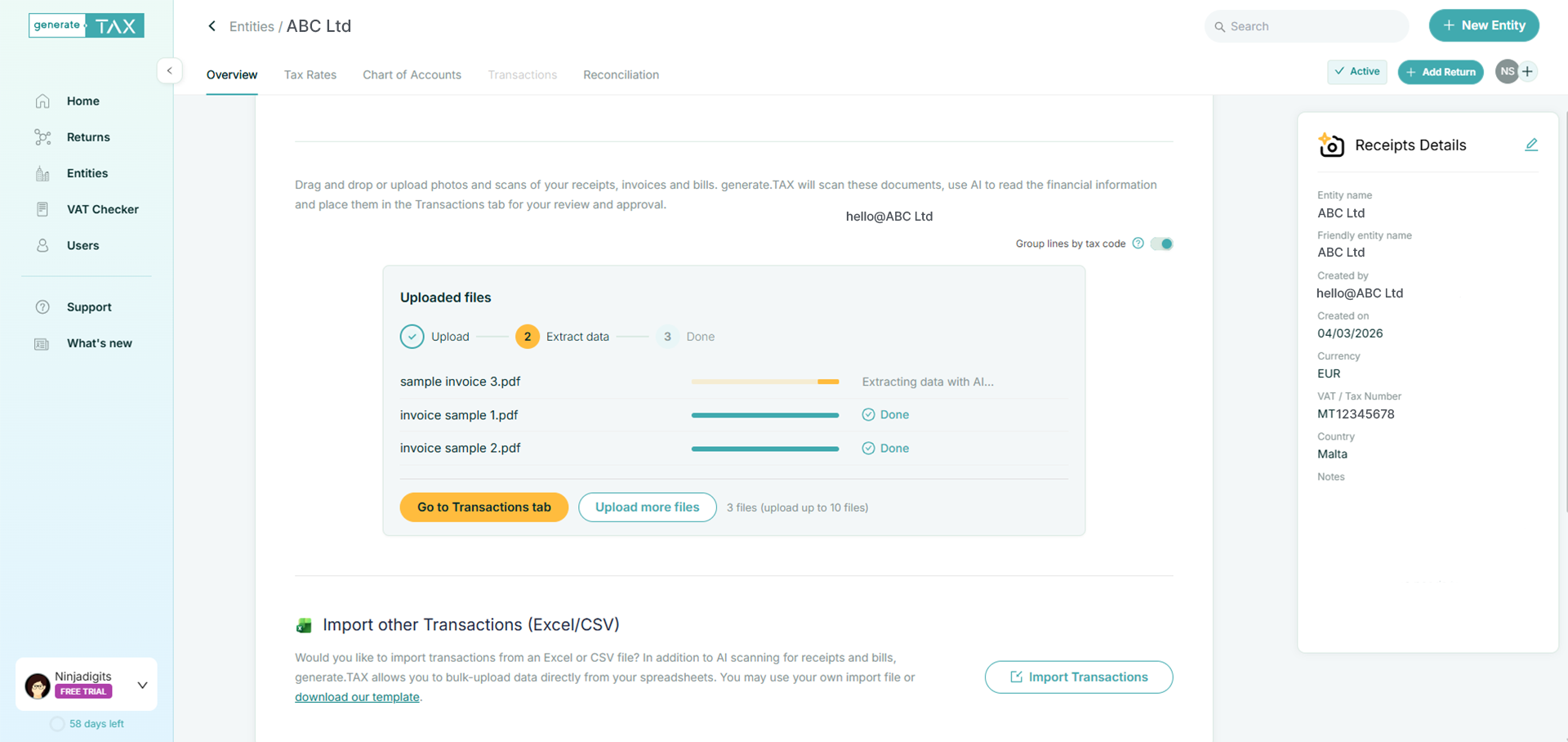
Upload receipts, invoices and bills as images or PDFs (supported formats include common photo types and PDF). Documents are processed in batches (up to 10 files per batch in the current UI), with clear progress as files move through upload, AI processing and transaction build stages. Extracted rows land in your Transactions tab, ready for review.

Tailored Setup
Before you scan, you set up tax rates and a chart of accounts so extracted amounts and classifications map cleanly to how you report. You can also add short business notes (products, services, context): the product uses this to help the model categorise scanned documents consistently.

From Documents to Returns
Approved transactions feed the same return workflow as the rest of generate.TAX: once data is reviewed, you can add a return, choose the tax type and period, and map VAT codes to the right boxes. AI scan removes the manual re-keying step; the platform keeps the filing steps familiar.

Collaboration & Control
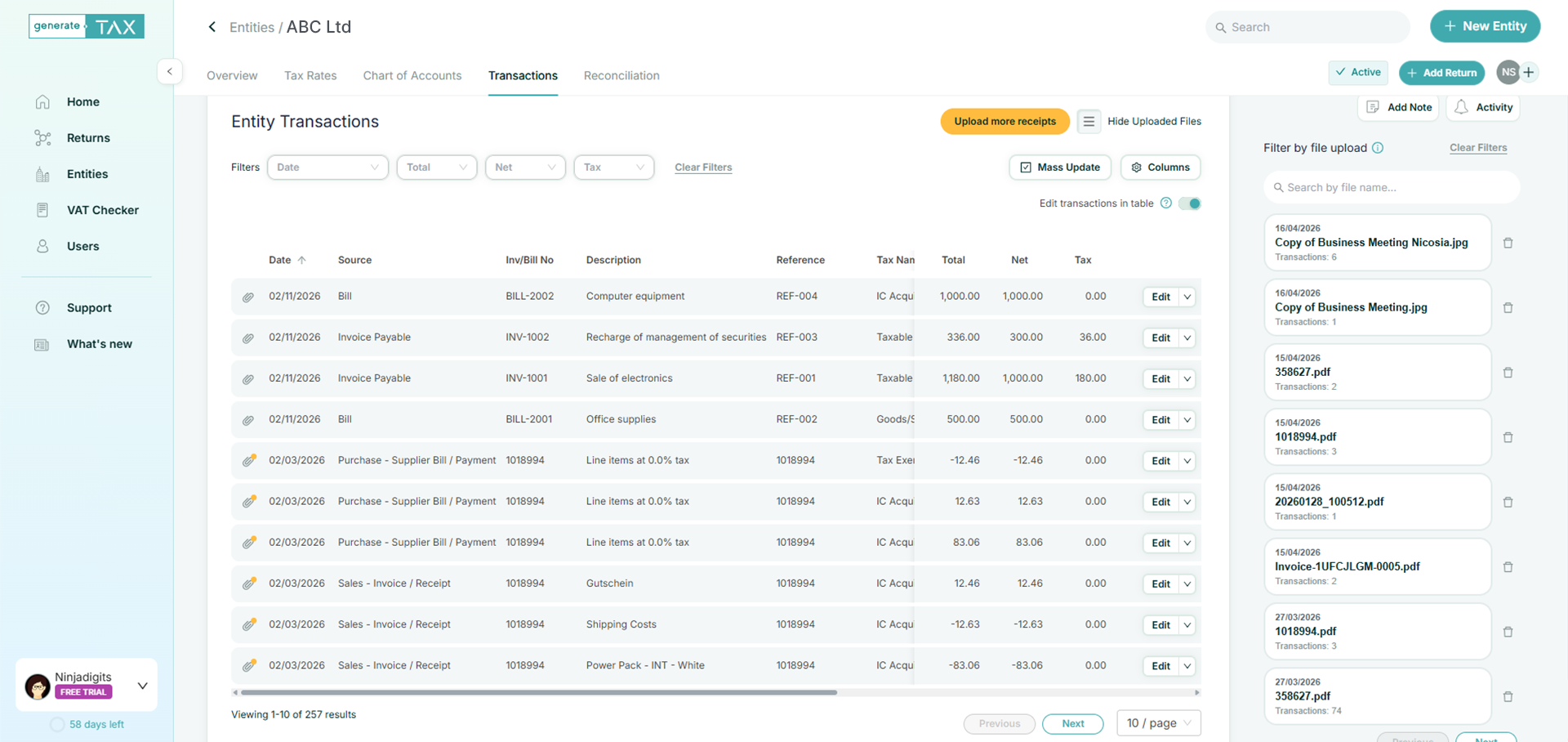
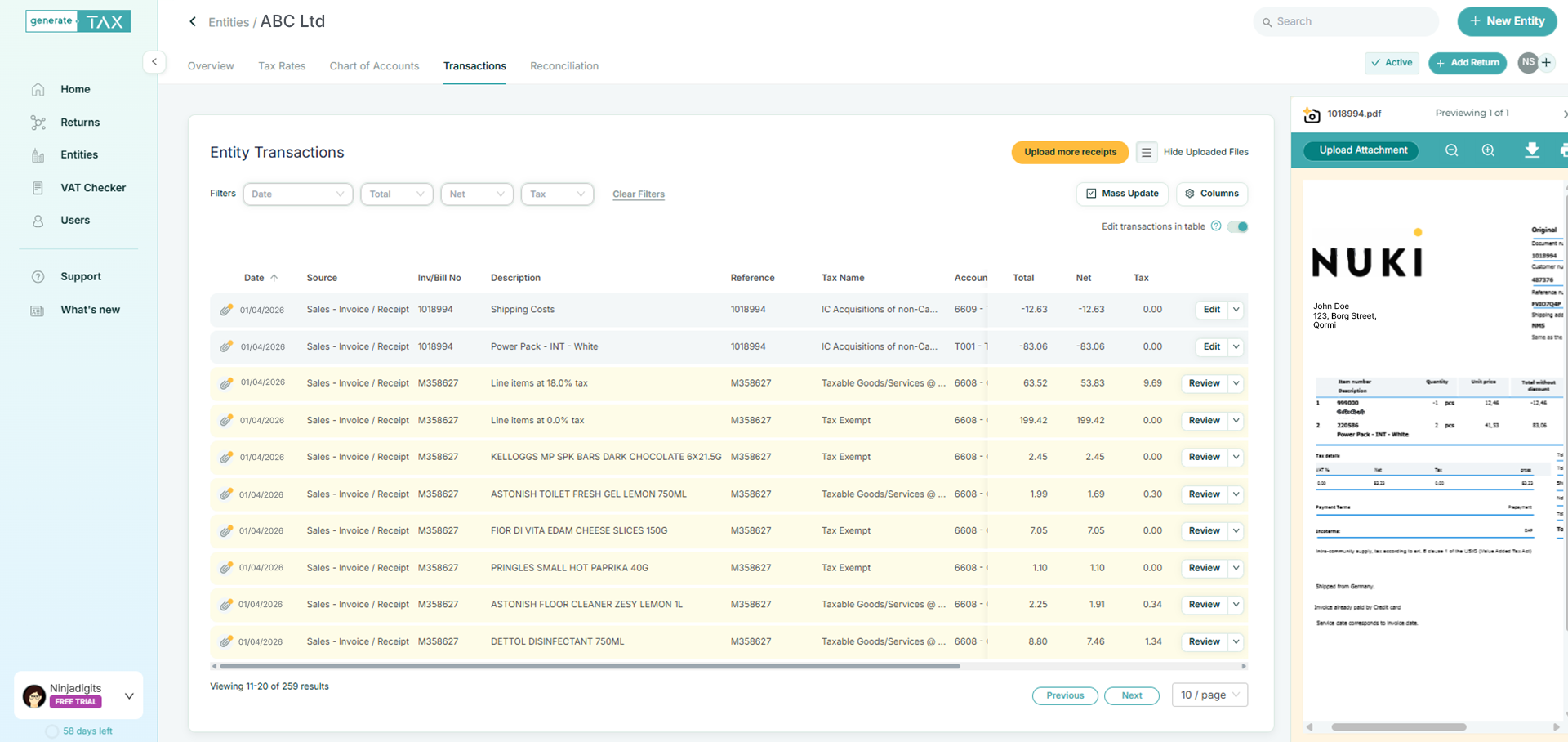
Every scanned transaction should be reviewed and approved before it is included in a return. Edit inline in the table or open a side drawer for a focused view. Use mass update to apply the same corrections across many rows at once. Filter by upload batch to work through one scan at a time.
How it works
Connect your data – upload, spreadsheet or folder
Bring documents in the way that suits the client
Create a Receipts & Bills entity when you want AI extraction from scans and photos. Drag and drop or browse to upload. You can also import Excel or CSV for rows that are already digital.
Optionally connect a folder in Google Drive or OneDrive / SharePoint so new files dropped by you or the client can be picked up for scanning- useful for shared client folders.
Your transactions in one place
A single Transactions workspace
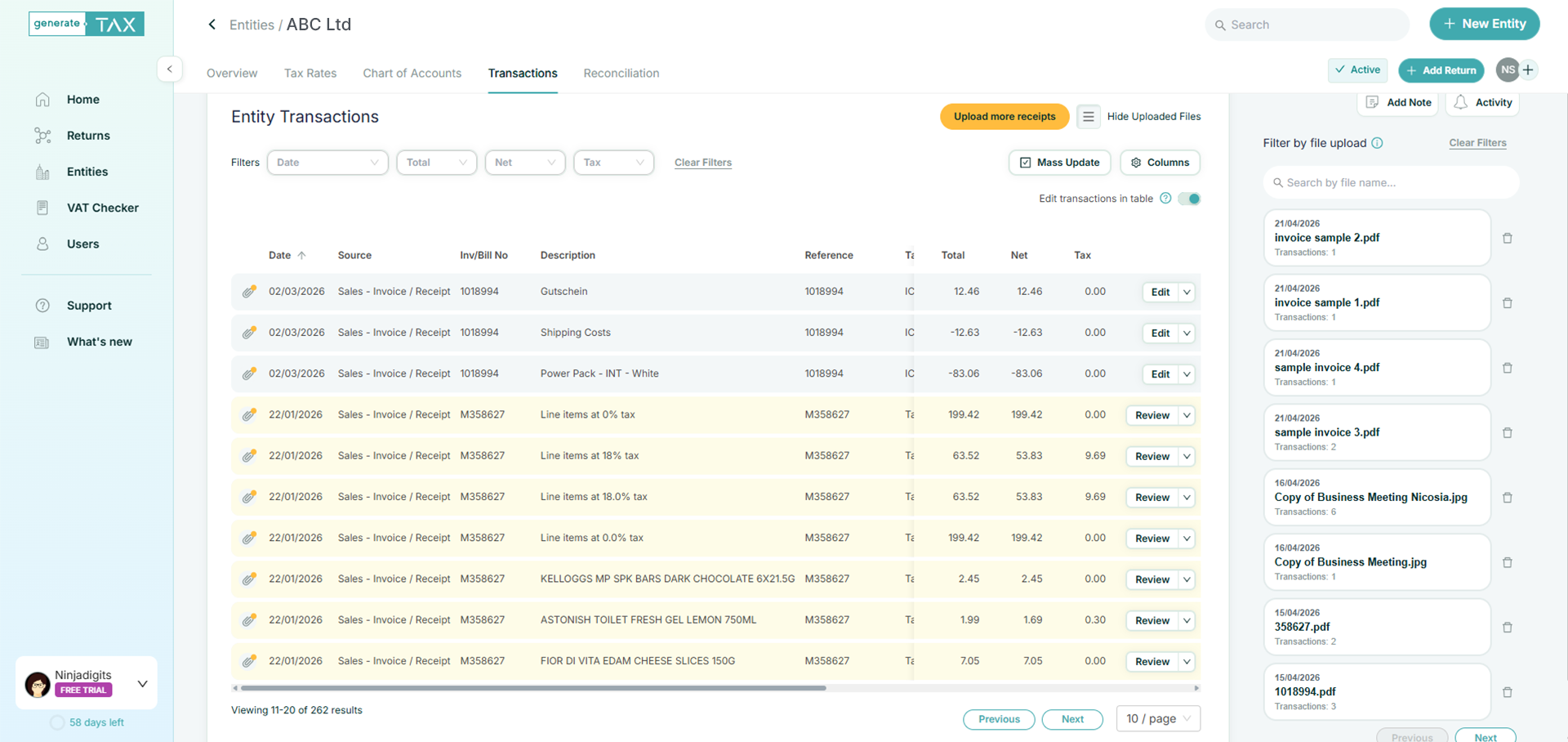
All extracted and imported lines appear in one Transactions tab. See what came from which upload, open the source document where attachments exist, and work through items in a consistent grid.
Review, approve, file
Human-in-the-loop by design
AI proposes the numbers and narrative fields; your team confirms them. When the period is clean, add the return and complete mapping and submission steps as you do for other entities.
Smart handling for real-world documents
Options for messy real life
Group lines by tax code when one bill should roll up cleanly; turn grouping off when you need line-level detail. Mix AI scans and spreadsheet imports in the same entity so nothing is forced into a single ingestion path.
Documents stay with the transaction
Attachments where you need them
Keep the original receipt or invoice linked to the transaction so reviewers and approvers can see the evidence without digging through email or cloud folders.
FAQs
What file types can I upload?
Images (e.g. BMP, JPEG, PNG, GIF) and PDF, subject to the same limits shown in the product (e.g. batch size).
How does the AI know how to categorise my receipts?
It uses the document itself plus your tax rates, chart of accounts and entity notes you provide to steer classification.
Is my data used to train AI models?
Per in-app messaging: no – your transactions are not used for model training. Outputs should still be verified.
Can I use Excel instead of scanning?
Yes. Receipts entities support Excel/CSV import alongside AI scan.
What does “beta” mean for AI scan?
The feature is still maturing; you should review and approve all extracted data and report issues you see. The human-in-the-loop is an essential mechanism to review the process.
Can I automate ingestion from a shared folder?
The product exposes Google Drive and OneDrive / SharePoint folder connection for automatic scanning of documents placed in that folder.
Try it for free
Unlock all generate.TAX features for 30 days to help you with the generation of VAT returns and capture of bills & receipts.
- Connects to your accounting software
- Safe and secure
- Cancel any time